
Teachers and students are now using technology to improve learning, communication and engagement. Flipgrid, a video-based discussion platform, allows students to share ideas, ask questions, and actively participate in classroom discussions. This article explores the many aspects of Flip, its benefits and how it can revolutionise teaching.
What is Flipgrid?
Flipgrid is a video discussion platform designed primarily for students and educators. It allows students to upload short videos, share their thoughts and respond to peers in an interactive format. Unlike traditional discussion boards, Flip emphasises personal expression and creativity.
- Users can upload videos from any device.
- Teachers create “grids” for different subjects or topics.
- Students post video responses to prompts provided by educators.
The platform is user-friendly and accessible, making it suitable for various levels of education, from elementary to higher education. It promotes inclusivity and allows students who may feel shy in the classroom to participate with confidence. Flip also integrates well with other learning management systems such as Google Classroom and Microsoft Teams, allowing for seamless integration into the classroom workflow.
By prioritising visual and verbal communication, Flip encourages students to develop critical thinking and public speaking skills. It also offers a space for educators to assess participation, creativity and understanding more engagingly compared to traditional assignments.
Benefits of using Flipgrid
Flipgrid provides several benefits for both educators and students. Its video-based approach promotes collaboration, engagement and personalised learning.
- Better student engagement: Video responses are more interactive than written submissions.
- Encourages creativity: Students can use filters, text and drawings in videos.
- Inclusive Environment: Gives a voice to every student, including those who are uncomfortable speaking in public.
- Teacher Insights: Educators can view responses to understand student understanding.
- Parent Engagement: Parents can view student posts and promote home learning engagement.
Apart from academics, Flip helps students develop soft skills such as confidence, communication and teamwork. It simplifies assessment and feedback processes for teachers while making learning more dynamic. The platform also supports cross-curricular projects and allows students to share knowledge across subjects such as science, literature and history.
With its innovative approach, Flip turns passive learning into active participation. Students feel more connected to peers and teachers, which increases motivation and overall academic performance.
How to set up flipgrid
Getting started with Flipgrid is easy. Educators can create an account and set up grids for their classes.
- Step 1: Sign up with your email or Microsoft/Google account.
- Step 2: Create a “grid” for the class or topic.
- Step 3: Add discussion prompts or topics.
- Step 4: Share the grid code with students.
- Step 5: Students record video responses and interact with peers.
Flipgrid’s dashboard provides teachers with tools to track participation, provide feedback, and moderate content. Students can respond with video, audio or text comments, providing flexibility for different learning needs.
Additionally, Flip includes accessibility features such as closed captioning and screen reader compatibility. It ensures that students with disabilities can participate equally, making the platform inclusive and supportive of all students.
By streamlining setup and usability, Flip saves educators time while creating a highly engaging learning environment.
Flip feature
Flipgrid offers many tools designed to improve classroom interaction.
- Video responses: Students can upload up to 5 minutes per video.
- Moderation options: Teachers can approve videos before they are visible.
- Integration tools: Works with Google Classroom, Microsoft Teams and LMS platforms.
- Customizable prompts: Teachers can include images, links, or questions
- Reactions and feedback: Students and teachers can react using emojis and comments.
- Accessibility: Support for subtitles, immersive readers, and screen readers.
In addition, Flip supports collaborative projects. Students can work in groups and create videos, encouraging teamwork. The platform’s intuitive interface allows even young learners to navigate with minimal guidance.
With these features, Flip goes beyond just a discussion tool. It turns classrooms into interactive learning environments where students actively share knowledge and express their creativity.
Flip for distance learning
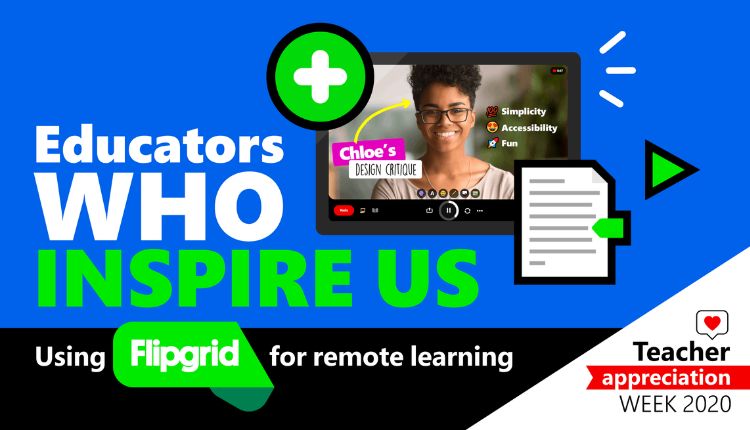
In the era of online education, Flipgrid has become invaluable for remote classrooms. It helps bridge the gap between teachers and students in virtual environments.
- Engagement: Video discussions replicate classroom interactions.
- Collaboration: Students can respond to peers even when they are not physically present.
- Flexible learning: Students can record at their own pace, allowing for asynchronous participation.
- Teacher Monitoring: Teachers can monitor student progress and understanding remotely.
- Motivation: Video-based learning increases excitement compared to traditional online assignments.
By making learning interactive, Flip supports distance learning while maintaining face-to-face contact. Teachers can assign reflective assignments, group projects, or weekly discussion prompts to keep students actively engaged in their learning.
Flip for skill development
Flipgrid is more than just a discussion platform; it helps develop basic life skills in students.
- Communication skills: Students will practise verbal expression and intelligibility.
- Confidence: Recording videos increases confidence in public speaking.
- Creativity: Incorporating visual effects, backgrounds and editing encourages innovation.
- Critical Thinking: Responding to peers promotes analytical skills.
- Digital Literacy: Using the platform improves technology fluency.
These skills are critical to academic success and future career readiness. Flip provides a safe space to experiment and learn from mistakes, helping students grow holistically.
Challenges and solutions
While Flipgrid is beneficial, educators may face challenges when implementing it.
- Limited Internet Access: Some students may have problems uploading videos.
- Solution: Support short videos or offline recording options.
- Privacy Concerns: Protecting student data is critical.
- Solution: Enable strict moderation and follow school policies.
- Technical difficulties: Glitches in devices or applications may disrupt participation.
- Solution: Provide tutorials and technical support.
- Student Reluctance: Some students may be camera-shy or anxious.
- Solution: Start with small, informal tasks to build comfort.
By proactively addressing these issues, teachers can ensure that Flipgrid is effective and inclusive for all students.
Tips for using flip effectively
Maximising Flip potential requires thoughtful strategies.
- Keep prompts short and clear.
- Encourage peer feedback with reactions and comments.
- Integrate Flip into projects and group work.
- Use moderation features to maintain a safe environment.
- Combine Flip with other tools like quizzes or collaborative documents.
Recognise and celebrate student creativity to increase student engagement.
Regular practice, along with structured guidance, provides students with confidence and educators can effectively monitor learning outcomes. Flip is most successful when it becomes an integral part of the classroom culture rather than a one-time tool.
Conclusion
Flipgrid has revolutionised education by making classrooms more interactive, engaging and inclusive. Its video-based approach encourages creativity, communication and collaboration and offers benefits that traditional methods cannot.
While there are challenges, careful implementation ensures that students of all abilities can thrive. For teachers, Flip simplifies monitoring, assessment and feedback, making it a versatile tool in modern education.
Frequently asked questions
Q1: Is Flip free to use?
Yes, Flip is completely free for educators and students, with optional premium features.
Q2: Can parents access student videos?
Yes, teachers can share Flip with parents for viewing purposes.
Q3: What age group is Flip suitable for?
Flip is suitable for all levels of education, from elementary to university.
Q4: Can Flip be used on mobile devices?
Yes, Flip has mobile apps for both Android and iOS.
Q5: How long can Flip videos be?
Videos can be up to 5 minutes long per post.
Q6: Is Flip safe?
Yes, Flip provides moderation capabilities and adheres to strict privacy policies to protect student data.